
PC fan always running at full speed: causes and fixes
August 8, 2026 (updated September 24, 2026) · 9 min read
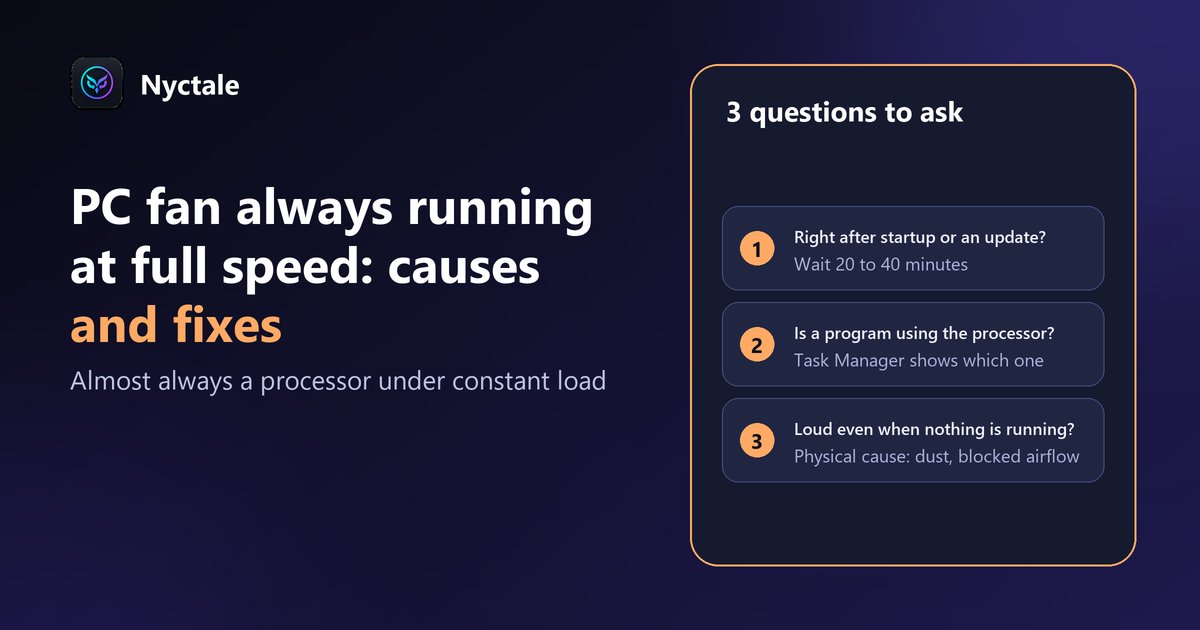
A PC fan running at full speed all the time almost always means the processor is being kept busy nonstop: by a program in most cases, otherwise by dust or a blocked air vent. Either way, the fix costs far less than a new computer.
It's a sound you stop noticing, until someone points out: "your PC sounds like an airplane." A fan running flat out even when you're not doing anything demanding isn't normal. But it isn't necessarily a sign of failure either.
In short: 3 questions to ask yourself
- Did the noise start right after switching on or after an update? If so, wait 20 to 40 minutes: Windows is often catching up in the background.
- Is one program keeping the processor busy? Task Manager tells you in ten seconds (method below).
- Does the fan roar even when nothing is running? Then the cause is physical: dust, a blocked vent or worn thermal paste.
Why does a PC fan spin up to full speed?
A fan speeds up for one reason only: the temperature is rising. So the real question isn't the fan, it's what is heating up the processor. There are just two families of causes: a component working too hard (software), or heat that can't escape (physical). Here are the seven situations you'll run into most often.
1. A program stuck in a loop
This is the most common cause. A program or a Windows component gets stuck and keeps one processor core busy permanently, without doing anything useful. A real example, common on Windows 11: the "touch keyboard and text input" component (TextInputHost) climbing to 80% of a core while no touch keyboard is in use. Closing the culprit is enough: the fan slows down within a minute or two.
An unknown program you never installed, using a lot of processor power nonstop, deserves an antivirus scan though: some malware uses your computer's power without you knowing.
2. Windows working in the background
After you switch on, and especially after a few days without use, Windows catches up. These tasks are normal and temporary; if the noise stops on its own after 20 to 40 minutes, there's nothing to do. The names to recognise in Task Manager:
- TiWorker or TrustedInstaller: a Windows update being installed.
- MsMpEng: a Microsoft Defender antivirus scan.
- SearchIndexer: your files being indexed for search.
- OneDrive or Dropbox: your files being synced.
3. The browser and its tabs
Dozens of open tabs, a video forgotten in the background, a page full of animated ads or a badly written extension are enough to keep the processor busy nonstop. The browser is also the most common reason a computer gets slower and louder as the day goes on.
4. Dust in the vents and the heatsink
Over the years, dust builds up in the air vents and between the fins of the heatsink. Air flows less freely, heat escapes poorly, and the fan compensates by spinning faster. It's the number one cause for PCs older than three or four years that roar even at rest.
5. A blocked air vent
A laptop resting on a bed, a sofa, a cushion or your lap often draws air from underneath: the fabric blocks the air intakes. The same laptop placed on a table often goes quiet again within minutes.
6. Worn thermal paste
Between the processor and its heatsink, a thin layer of thermal paste carries the heat away. It dries out over time, usually after four to six years. The processor then heats up faster, even under light load. No software can fix this, but a repair shop replaces the paste during a cleaning.
7. An aggressive power mode
The "Best performance" power mode keeps the processor at high frequency more often, so it runs hotter. On a desktop or a plugged-in laptop, switching back to "Balanced" often calms the fan with no noticeable difference in everyday speed.
How to find the cause yourself in 5 minutes
- Wait five minutes after switching on, then open Task Manager with Ctrl + Shift + Esc.
- In the "Processes" tab, click the "CPU" column to sort programs from the most to the least demanding.
- If one program stays above 20 to 30%, it's very likely the culprit. If it's one of the Windows tasks listed above, wait; otherwise, right-click its line and choose "End task".
- Listen to the fan for a minute or two. If it slows down, you've found the culprit.
- If no program goes above a few percent and the fan still roars, the cause is physical: dust, ventilation or thermal paste.
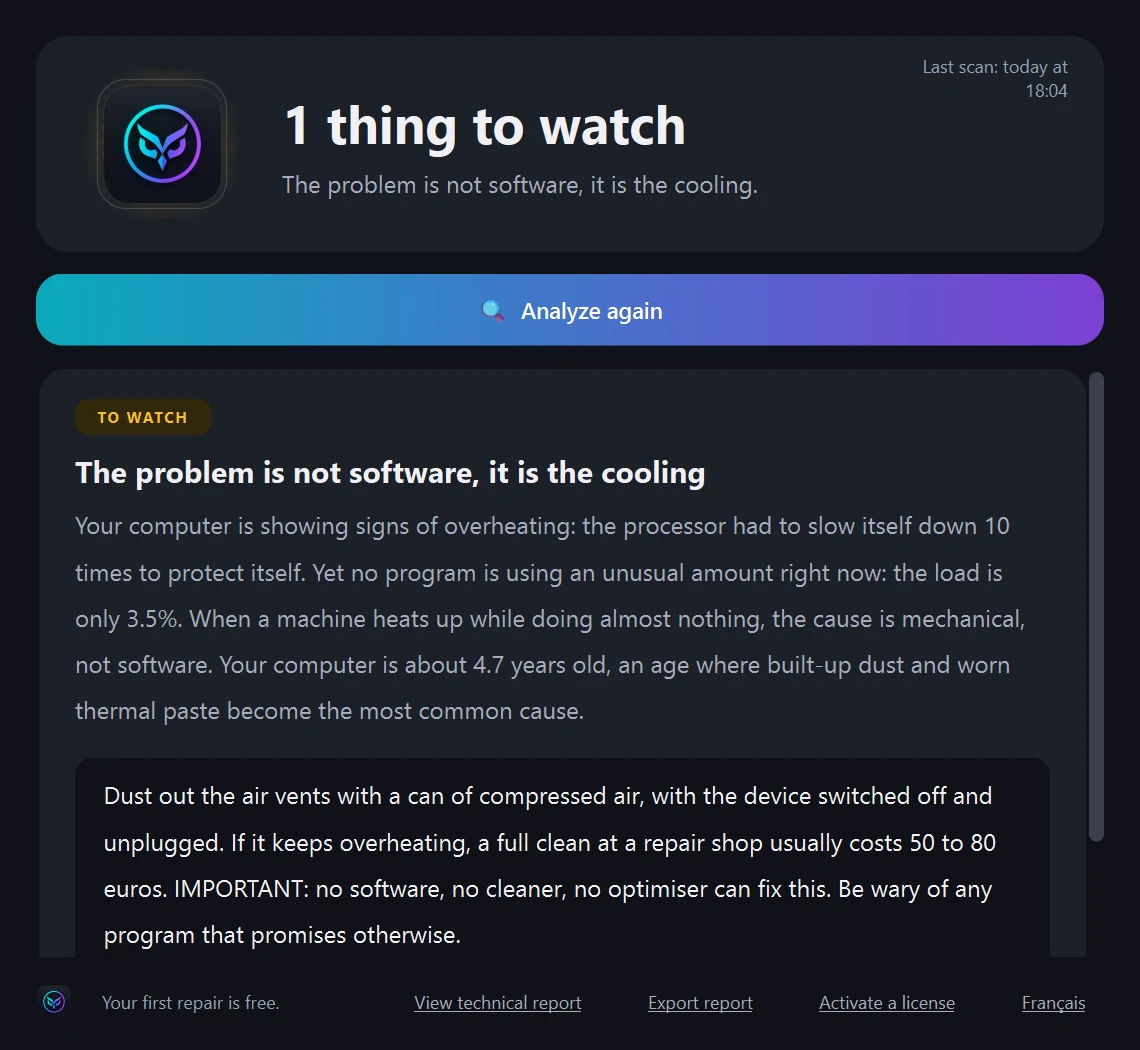
One more clue lives in the Windows Event Viewer: every time the processor had to slow down to protect itself from heat, Windows logs it in the System log (event 37, source Kernel-Processor-Power). Several of these events while the machine was doing almost nothing point to a cooling problem.
What Nyctale checks in 19 seconds
Nyctale does this reasoning for you. It measures which programs keep the processor busy, reads from the Windows log how many times the processor had to throttle itself, then cross-checks the two. When the computer heats up while doing almost nothing, it says so plainly, including that no software can fix that particular problem.
What to do, depending on the cause
- Stuck program: close it from Task Manager ("End task"), or restart the computer. Choose "Restart", not "Shut down": with Windows fast startup, shutting down doesn't reset everything.
- Update or antivirus scan: leave the computer on and plugged in for 20 to 40 minutes, without putting it to sleep.
- Browser: close unused tabs and turn on the memory saver (Chrome, Edge) or sleeping tabs.
- Dust: with the computer switched off and unplugged, blow out the vents with a can of compressed air, in short bursts and preferably outdoors. Hold the fan blades still (with a cotton swab, for example) so they don't overspin in the airflow.
- Blocked vent: put the laptop on a hard, flat surface; a cooling stand helps in summer.
- Thermal paste and full cleaning: a repair shop opens the computer, cleans the heatsink and replaces the paste, usually for 50 to 80 euros. It's often what makes a five-year-old laptop quiet again.
- Power mode: Settings > System > Power (or "Power & battery"), then set "Power mode" to "Balanced".
When should you actually worry?
- A rubbing, grinding or clicking noise: the fan bearing is wearing out. The part is cheap to replace, but better not to wait until it fails.
- The fan doesn't spin at all while the computer heats up: avoid heavy tasks and get it checked quickly.
- The computer shuts down on its own without warning: this is often an overheating protection. Get the cooling checked before considering a replacement.
In none of these cases is the computer ready for the bin: a new fan or a cleaning costs a fraction of a new PC (€300 to €800).
Do you need software to control the fan?
Rarely. Some tools let you set fan speeds, but forcing a fan to slow down while the processor is hot is like switching off the alarm without putting out the fire. And no "cleaner" or "optimiser" removes dust: be wary of any program that promises to make a PC quiet in one click.
Going further
Repeated overheating can cause crashes. If your computer shuts down or shows a blue screen, read our guide to the Windows 11 blue screen. To keep an eye on temperatures, see our selection of free PC diagnostic tools.
Going further: how to tell if your PC runs too hot, with the method for measuring the processor and graphics card at idle and under load.
Frequently asked questions
Is it bad if my PC fan runs all the time?
Rarely. It's a symptom, not a failure: the processor is hot because a program keeps it busy or because heat can't escape. You need to find the cause, but in the vast majority of cases it can be fixed without buying a new computer.
Why is my laptop fan running at full speed when I'm not doing anything?
Either a program is working in the background with no visible window (update, antivirus, stuck program), or heat can't escape (dust, laptop resting on fabric). Task Manager, opened with Ctrl + Shift + Esc, settles it in seconds.
How much does a PC cleaning cost at a repair shop?
Usually 50 to 80 euros for a full cleaning with fresh thermal paste. It's often the right fix for a laptop over four years old that roars even at rest.
Can a loud fan damage my computer?
The noise itself, no. But prolonged overheating forces the processor to slow down and can eventually cause sudden shutdowns. It's best to deal with the cause quickly.
Can Nyctale reduce fan noise?
Nyctale finds the cause and helps fix it when it's software: closing a stuck program, adjusting the browser, switching back to Balanced mode. When the cause is physical, it tells you plainly: no software replaces a good dusting.
Read next
- How to Tell If Your PC Runs Too Hot: Normal CPU and GPU Temperatures
- Windows 11 Blue Screen: How to Read the Error Code and Fix the Cause
- Slow computer: 9 common causes and how to find yours
- The Best Free PC Diagnostic Tools (and What to Expect From Them)
- Replace or repair your PC? 6 questions to ask before buying
- PC restarts by itself: causes and checks
- PC freezes: hardware or software problem?