
Before Reformatting Your PC: What a Diagnostic Can Save You
October 27, 2026 · 7 min read
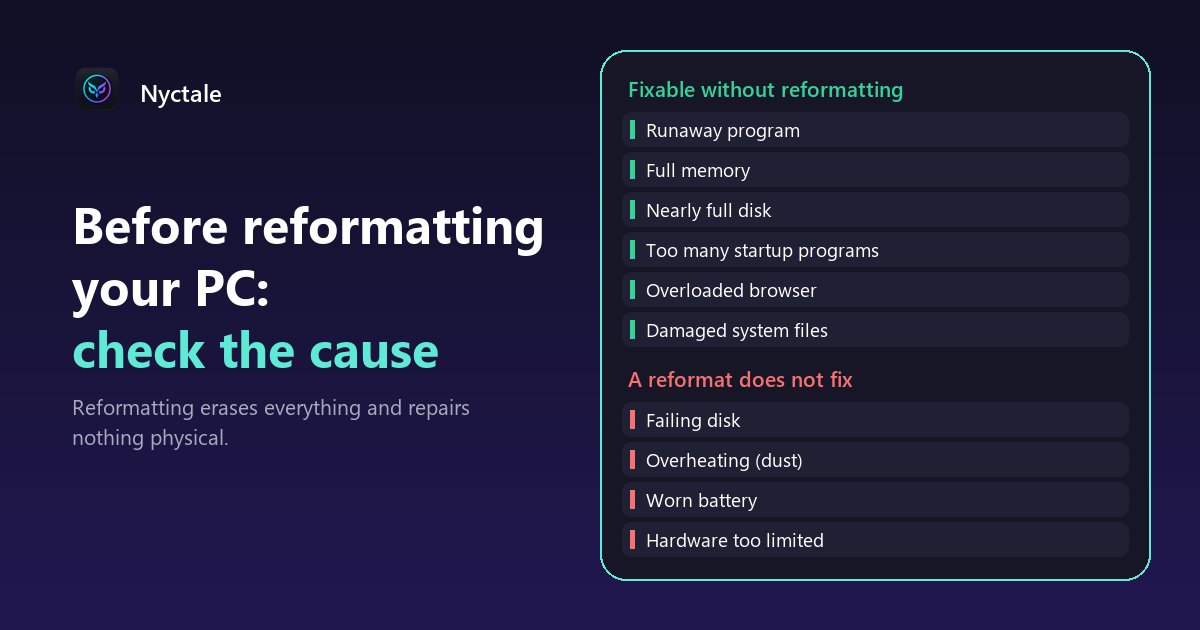
Before reformatting a slow PC, check the cause first: many slowdowns come from a runaway program, full memory, a nearly full disk, too many startup programs or damaged system files, and all of them can be fixed without reinstalling Windows. Conversely, a failing disk, overheating or hardware that is too old will come back after the reformat. A few minutes of diagnosis is enough to know which case you are in.
Reformatting is tempting because it promises a 'like new' PC. But it has a cost: documents to back up, software to reinstall, accounts to sign back into, settings to redo, often a whole evening or more. And it repairs nothing physical. This article sorts out what a reformat really fixes, what it does not, and what to check before you decide. If your PC slows down for no visible reason, start with a slow computer with no obvious reason.
Why does reformatting feel like it fixes everything?
Because it resets everything at once: no more startup programs, no more piled-up extensions, no more temporary files, a suddenly very empty disk. For a few weeks, the PC feels fast. But if the real cause was one of those build-ups, fixing that one alone was enough. And if the cause was hardware, it comes back with the first heavier task.
There is also a case where slowness comes from a fake restart. With Windows 'Fast startup', the Shut down button does not fully clear the system session: a PC switched off every evening may not have truly restarted for days. A real restart (Start > Power > Restart) sometimes fixes in one minute what you expected to fix by reformatting.
Which causes can you fix without reformatting?
- A runaway program: it hogs the processor or memory. Task Manager (Ctrl + Shift + Esc), sorted by CPU then by memory, shows it in seconds.
- Full memory: often the browser or apps left open; see how to read full RAM.
- A nearly full disk: Windows needs free space to work; emptying the recycle bin, temporary files and old updates often frees a lot.
- Too many startup programs: each one slows down sign-in and takes memory; see which startup programs to disable.
- A browser overloaded with tabs and extensions, which can take a large share of memory on its own.
- Damaged system files, which Windows can check and repair by itself with two commands (DISM, then sfc /scannow).
That last case deserves attention, because it is invisible. On the work PC used to build Nyctale, the sfc /scannow command found and repaired corrupted system files. No message had warned about it, only slowdowns and erratic behaviour: exactly the kind of symptom that pushes people to reformat, while Windows can repair it for free in 10 to 20 minutes.
Which causes does a reformat not fix?
- A disk at end of life: reformatting does not rejuvenate it, and reinstalling Windows on a failing disk means risking losing everything a second time; see signs of a failing hard drive.
- Overheating: dust in the air vents or worn thermal paste make the PC run hot, and it throttles itself to stay safe; a clogged PC will heat up again from day one. See a fan that never stops spinning.
- A worn battery on a laptop: it drains fast, and no software gives it its capacity back.
- Hardware too limited for your uses: little soldered memory, a mechanical hard drive, an old processor; see before buying a new PC.
Reformatting those PCs means losing a day to find the same problem again. For dust, blowing out the vents with compressed air, device off and unplugged, often fixes most of it; a full clean with fresh thermal paste usually costs 50 to 80 euros at a repair shop. For a mechanical hard drive that is still healthy but slow, swapping it for an SSD changes far more than a reinstall.
What should you check before deciding?
- Disk health and free space: a disk reported as unhealthy comes before everything else (back up first).
- Processor and memory load at idle: a program running while you do nothing is an immediate lead.
- Startup programs: Settings > Apps > Startup, with the impact of each one.
- Signs of overheating: a fan blowing hard at idle, a processor slowing down to protect itself.
- Recent crashes and sudden shutdowns in the Windows log: they point to hardware, power or a driver.
- The last real restart, Fast startup included.
Done by hand, these checks take several different tools. A diagnostic bundles them in one go. To compare free options, see the best free PC diagnostic tools.
What if reformatting is still necessary?
Sometimes it is: a system too damaged to repair, a serious infection, or wanting a clean slate before giving away or selling the PC. Prepare it: back up documents, photos and bookmarks to an external drive or online storage, note your licences and make sure you know your passwords, keep the manufacturer's website at hand for drivers.
Before a full reformat, there is a middle step: resetting Windows. In Settings > System > Recovery > Reset this PC, the 'Keep my files' option reinstalls Windows while keeping your personal documents, but removes installed apps and restores default settings. It is lighter than a reformat, and it fixes purely software problems. It does not change anything about a worn disk or overheating either.
What does Nyctale check before you decide?
Nyctale runs 11 diagnostic rules that cover both columns of this article: stuck program or heavy consumer, full memory or memory made up for by the disk, fake restart caused by Fast startup, thermal throttling, recent crashes in the Windows log, full disk and disk health, worn battery, startup programs, clogged cooling, memory-hungry browser and damaged system files. For each finding, it says plainly whether the cause can be fixed by software or is hardware, and so whether a reformat would help at all.
It does not promise that a diagnostic always avoids a reformat: it only tells you whether the cause lies elsewhere. Repairs that change the system, such as the system file check, only run with your consent.
Conclusion: diagnose before erasing
A few minutes of diagnosis can save you a day of reinstalling, or save you from reinstalling onto a disk that is about to fail. Start with a real restart, look at what is consuming resources, trim startup, check the disk and the heat; only reformat once those causes are ruled out. Nyctale's analysis is free; the first repair is offered, and the full version costs €24.99 as a one-time purchase.
Frequently asked questions
Should I reformat a slow PC?
Not first: many slowdowns come from a program, memory, a full disk or startup, and can be fixed without reinstalling.
Does reformatting fix everything?
No. It does not repair a worn disk, overheating caused by dust, a tired battery or hardware that is too old.
What should I back up before reformatting?
Documents, photos, browser bookmarks, software licences, and make sure you know your passwords.
Is there a lighter option?
Yes: Reset this PC with the 'Keep my files' option, in Settings > System > Recovery. Installed apps are removed, your documents stay.
Does Nyctale cost anything?
The analysis is free, the first repair is offered, then the full version costs €24.99 as a one-time purchase, with no subscription.
Read next
- Slow computer: 9 common causes and how to find yours
- RAM Full at Idle on Windows 11 & 10: How to Read Memory Usage and What to Do
- How to Tell If Your Hard Drive Is Failing: Warning Signs and the SMART Test
- Replace or repair your PC? 6 questions to ask before buying
- The Best Free PC Diagnostic Tools (and What to Expect From Them)